
Before you register: BC.Game is for adults only (18+, or older where local law sets a higher age) and turns away players in the countries listed in section 4.3 of its terms, among them Australia, the United Kingdom and the United States. Check that online gambling is legal where you live. Casino Dome may earn a commission if you open an account through the buttons on this page; see our affiliate disclosure.
BC.Game login and account facts at a glance
Everything below comes from BC.Game’s own help, security and terms pages:
| Topic | What BC.Game offers | Where it is set out |
|---|---|---|
| Ways to register | E-mail and password, or sign up directly with Google, Telegram or Cwallet | Sign-up form and homepage panel |
| Minimum age | 18+, and at least the legal gambling age where you are | Terms of Service, help centre |
| Login protection | Google Authenticator 2FA, passkeys, e-mail verification | Fairness and security page |
| Changing e-mail or username | Not possible; close the account and open a new one | Help centre FAQ |
| Forgotten password | “Forgot Password” link with e-mail instructions | Help centre FAQ |
| Locked out | “Can’t log in?” recovery flow with a Case ID | Login page, help centre |
| After a password change | Withdrawals paused for 24 hours | Fairness and security page |
| Accounts per person | One | Terms of Service, sections 5.1 and 8.1 |
How to sign up at BC.Game
Some choices on the form are hard to undo later, so this is the order we would follow:
- Use one of the buttons on this page: they open BC.Game’s sign-up form, which can load on one of BC.Game’s mirror domains. “Verify This Site” in the footer checks the address.
- Register with an e-mail address and a password, or sign up directly with Google, Telegram or Cwallet.
- Pick an e-mail address you will keep. BC.Game uses it for identity checks later, and it cannot be changed once the account exists.
- Leave the referral or promo code field empty unless you were given a code. The welcome bonus does not need one.
- Tick the boxes confirming that you are 18 or older, accept the terms and are not in a restricted jurisdiction.
- Verify the e-mail address, so security alerts and recovery messages reach you.
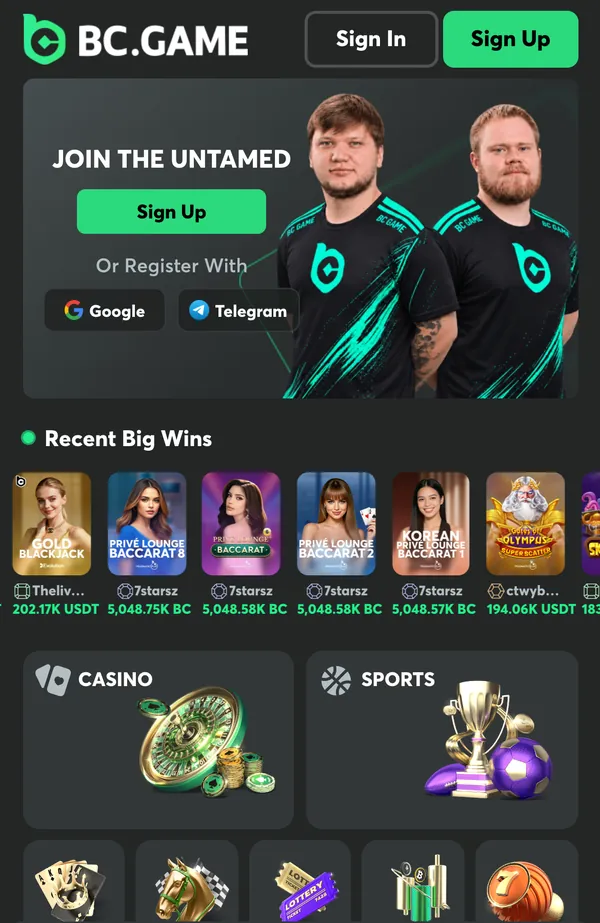
BC.Game register options: e-mail, Google, Telegram or Cwallet
That makes four routes in all. The sign-up form lists Cwallet and Google under “Sign up directly with”, with more options behind a “More” button, and the homepage panel shows Google and Telegram. The quick routes save typing, while the e-mail form gives you a login that doesn’t depend on another service. Whichever you choose, note it down. BC.Game’s recovery flow asks for the e-mail or phone tied to the account, and “not sure which one you used” is one of the situations it was written for.
Do you need a BC.Game promo code to register?
No. The code field on the form is optional. The deposit bonus comes from the Gift Box after you deposit, not from a code, and BC.Game runs its referral programme from a separate page. Treat any code sent in a private message with suspicion.
Who can open a BC.Game account
An account is a contract with Twocent Technology Limited, the Belize company that runs BC.Game under Anjouan licence ALSI-202410011-FI1; the regulator’s validation page listed that licence as VALID on 17 November 2026. You must be 18 or older and at least the legal gambling age where you are (a higher local age applies), and allowed to gamble online under the laws that apply to you. BC.Game refuses identity verification for anyone under 18 or over 70.
Section 4.3 of the terms excludes players in the United States and its territories, the United Kingdom, Australia, Germany, Spain, Austria, the Netherlands and its territories, France and its territories, the Union of the Comoros, China (mainland), Hong Kong SAR, Macau SAR, every FATF-blacklisted country and any other jurisdiction the Anjouan authority prohibits. A VPN is not banned in itself, but section 13.7 allows action when one is used to get in from a restricted jurisdiction, to sidestep regulation or promotion rules, or to hide fraud.
The terms also allow one personal account per person (sections 5.1 and 8.1), ask for details that are accurate, complete and verifiable (5.2), and let BC.Game refuse a registration without giving detailed reasons (5.5).
BC.Game 2FA, passkeys and other login security
Section 7 of the terms makes you responsible for your username, password, authentication codes and recovery credentials, and says that not using available security features does not automatically relieve you of it. Three tools are on offer.
Setting up BC.Game 2FA with Google Authenticator
BC.Game’s registration guide recommends adding two-factor authentication through Google Authenticator, and section 7.2 of the terms strongly recommends it. Keep the authenticator on a phone you look after. If that phone is lost, there are two ways back: the self-service recovery (“Can’t log in?”, then “I can’t access my account”), which covers lost 2FA, or BC.Game’s support, which removes 2FA after you answer several security questions.
BC.Game login with passkeys
A passkey lets you sign in with your device’s biometrics or PIN instead of a password, which leaves nothing for a phishing page to capture. E-mail verification completes the set: it confirms the address that receives security and recovery e-mails.
Two rules catch people out. The username and registered e-mail are permanent; to change either, BC.Game’s advice is to close the account and open a new one. And any password change or reset freezes withdrawals for 24 hours, which gives BC.Game’s security team time to spot a takeover before money leaves the account.
BC.Game login problem? What to do when you can’t log in
BC.Game publishes a fix for each of the six usual cases:
| Problem | What to do |
|---|---|
| Forgotten password | Use “Forgot Password” and follow the e-mail; the help centre says a reset takes about 15 seconds |
| Lost phone with Google Authenticator | “Can’t log in?”, then “I can’t access my account”; or ask support, which removes 2FA after security questions |
| Someone changed your password, e-mail or phone | “Can’t log in?”, then “Account was hacked” and “Recover my account” |
| Lost access to your e-mail, phone or 2FA | “Can’t log in?”, then “I can’t access my account” and “Recover my account” |
| You don’t remember the e-mail or phone | Choose “I don’t remember any of these” and upload proof of a previous deposit |
| “Account temporarily unavailable” | A running self-exclusion, or a security lock that clears through identity verification |
BC.Game login recovery, step by step
- On the login page, click “Can’t log in?” under the password field.
- On the “Trouble signing in?” screen, pick “Account was hacked” or “I can’t access my account”, then “Recover my account”.
- Follow the on-screen steps: upload the documents asked for and complete e-mail verification.
- Keep the Case ID shown at the end. “Check recovery status”, under the same “Can’t log in?” link, tracks the request.
- If you need to write in, use recovery@bcgame.com and quote the Case ID. BC.Game says the request itself is filed on the login page, so no e-mail is needed to start it.
When the account shows “temporarily unavailable”
BC.Game names two common reasons. A self-exclusion keeps the account closed until its period ends, and it cannot be lifted or shortened. Unusual activity can also lock an account until identity is confirmed; in that case the fix is the same “Can’t log in?” and “I can’t access my account” route, with live support available around the clock while the check runs.
Fake BC.Game sites and fake staff: how to check
A popular login page attracts copies. BC.Game’s official-channels page sets out what is genuine:
- The website is bc.game. Lookalike domains are either mirrors BC.Game runs for networks that block the main address, or fakes. “Verify This Site” in the footer opens bcgame.com with the domain you are on, and only genuine mirrors pass.
- The app comes only from BC.Game’s app download page.
- Official e-mail uses support@bcgame.com for account questions, security@bcgame.com for phishing and impersonation, and recovery@bcgame.com for locked accounts. Compare the sender address letter by letter.
- Staff never ask for your password, 2FA code or recovery keys, a deposit to a wallet outside your BC.Game account, an “exclusive” bonus offered in a private message, or a login through an external link or a Telegram bot.
- Verify Representative checks a Telegram, WhatsApp or Discord contact against the staff list. Paste the username, not the display name.
Fake sites can be reported to security@bcgame.com with a screenshot, plus the wallet address if the site asked you to deposit.
BC.Game account verification (KYC)
Under section 5.3 of the terms, BC.Game may ask at any point for documents proving identity, age, address, nationality, source of funds and ownership of payment methods. In practice the first request usually arrives before the first withdrawal, and BC.Game says its licence requires identity checks before some currencies can be deposited or withdrawn.
- Basic KYC: a photo ID issued by a government (both sides) plus a five-angle selfie, checked mostly automatically.
- Advanced KYC: proof of address no older than three months, requested only in some cases.
- Resubmissions: up to six, and a rejection e-mail explains what was wrong.
Verification is also how a locked account goes back to its rightful owner.
The BC.Game welcome bonus on a new account
For new users, a 24-hour New User Booster sits on top of the monthly deposit bonus, which BC.Game pays out as locked rakeback; BC.Game’s public pages don’t say when the 24 hours start. There are four stages each month, no code is involved, and each bonus is claimed by hand after the deposit.
| Stage | Standard | With the New User Booster | Minimum deposit |
|---|---|---|---|
| 1 | 180% | 220% | $5 (5 BCD) |
| 2 | 240% | 300% | $10 (10 BCD) |
| 3 | 300% | 400% | $20 (20 BCD) |
| 4 | 360% | 500% | $30 (30 BCD) |
Terms in brief: claim each bonus from the Gift Box after a qualifying deposit; it is credited as locked rakeback and released only by bets on non-PvP games, at a rate calculated from game type, house edge and turnover (no fixed multiple is published, and there is no minimum unlock threshold); stages are sequential and cannot be skipped; released amounts are withdrawable cash, claimable at any time with no expiry; the four chances reset on the 1st of each month at 00:00 UTC. BCD is BC.Game’s dollar-pegged balance unit, and fiat minimums vary by currency.
What “unlocked as you play” means for your balance
The bonus does not land in your playable balance. It waits in a locked pot, and every eligible bet that settles shifts a slice of it into withdrawable cash. Because BC.Game sets that part from the game’s house edge and your turnover and doesn’t publish a fixed rate, nobody can tell you in advance how much play a given bonus needs. Plan your deposits as if the bonus were a refund that arrives over time.
Other rewards tied to the account
BC.Game’s help centre also lists daily, weekly and monthly bonuses open to every player, level-up rewards as the account climbs VIP levels, and quests. VIP membership is invitation-only. BC.Game’s promotions and deposit pages showed no standing no-deposit bonus to logged-out visitors on 17 November 2026.
Claim the deposit bonus 18+ · Terms apply
BC.Game games: what the lobby offers
The lobby starts with BC Originals, BC.Game’s in-house titles, and their results can be checked afterwards. In single-player games such as Dice, Limbo, Plinko and Mines, the server seed is revealed when the round ends, the client seed is yours to change and a nonce keeps every bet distinct; Crash results come from a pre-generated chain of hashes. BC.Game’s provably fair page will redo the calculation for you.
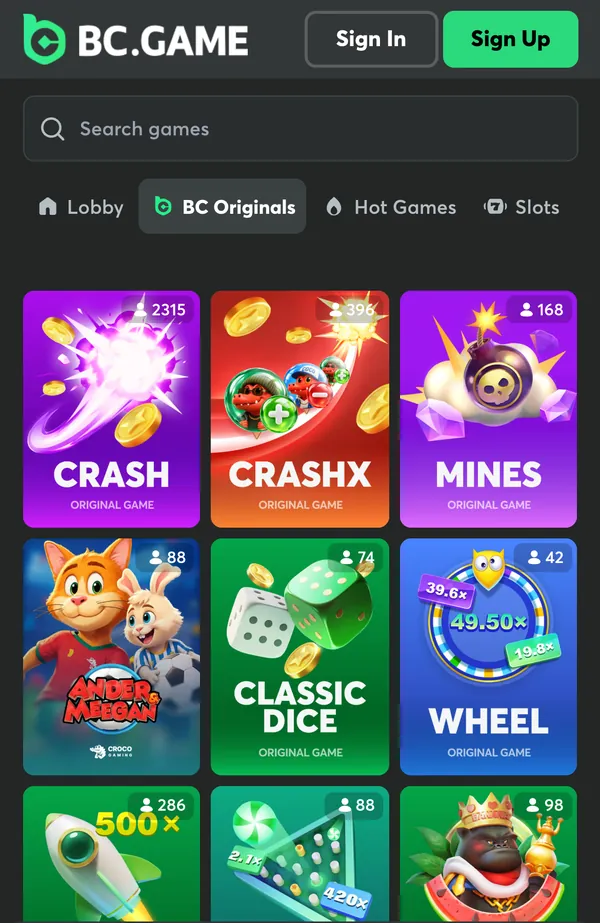
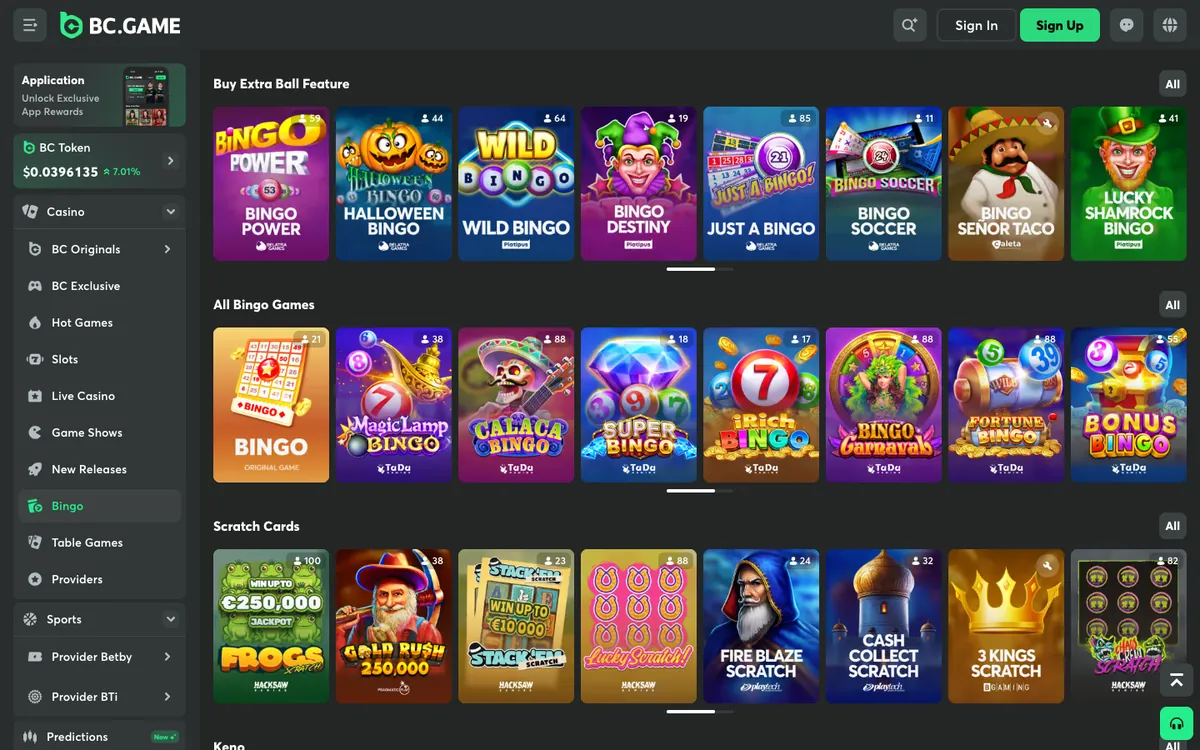
Behind the originals sit slots from 60+ studios, including Pragmatic Play, Hacksaw, NoLimitCity, NetEnt and Red Tiger, plus bingo games and scratch cards, keno and lotto draws, table games and poker. The live casino includes Evolution, Pragmatic Play Live and Ezugi among other studios, with tables carrying BC.Game’s own branding for roulette, baccarat and blackjack, and the sportsbook (Betby and BTi) covers more than 80 sports. RTP is listed in each game’s information table, and availability can vary by country. To try a slot before depositing, use our free games.
Open the BC.Game lobby 18+ · Terms apply
Deposits and withdrawals on a BC.Game account
BC.Game is crypto-first: you can display balances in fiat, but bets settle in crypto. Deposits are sent to the address (or QR code) shown in My Wallet, or bought in the cashier through MoonPay or Banxa, and need three confirmations before you can withdraw against them.
- Crypto payouts normally go out the moment you confirm them, a small share is held for a manual check, and the fee is at least 0.1%.
- Fiat payouts take anywhere from minutes to a few days, depending on the payment provider.
- Cwallet payouts carry no BC.Game withdrawal fee and are processed instantly; fiat balances go out as USDT or USDC, for 14 supported fiat currencies.
- A pending withdrawal usually means a password changed in the last day, an unfinished KYC step or a transaction review.
- Payouts normally return to the method you deposited with. BC.Game shows its own fee before you confirm; banks or networks may add theirs.
For coins, networks and fees in more depth, the BC.Game crypto review at Best Bitcoin Casino covers the crypto side.
Sign up at BC.Game 18+ · Terms apply
BC.Game app login
The same account works in the browser and in BC.Game’s app. On iOS the app is installed from the App Store and then unlocked through a link on BC.Game’s download page; on Android it is an APK from the same page, and BC.Game says that page is the only official source. The app also carries a one-off reward: cashback of up to $100 for betting in the app, claimed on the Quest page and scaled to VIP level. For the install steps in detail, the BC.Game app review on All Casinos International walks through the download.
Limits, cooling-off and self-exclusion on your account
Where the platform supports them, you can set daily, weekly or monthly deposit limits, wagering limits and session reminders; BC.Game’s responsible gambling page adds a self-assessment and a budget calculator. Players can also take a week-long break with the seven-day cooling-off, or self-exclude for six months or more; while a self-exclusion runs the account shows as unavailable, and the period cannot be shortened. Set a limit before your first deposit, and read our responsible gambling guide for support services. Gambling is for adults only.
BC.Game account: what works and what to check
What works
- Four sign-up routes: e-mail and password, Google, Telegram or Cwallet
- Google Authenticator 2FA and passkeys
- Withdrawals pause for 24 hours after any password change
- Self-service account recovery with a Case ID
- “Verify This Site” and Verify Representative checks against fakes
- Provably fair BC Originals
What to check
- Offshore licence from Anjouan (Union of the Comoros), not one from your own country
- The bonus release rate is not published
- Bonus stages run in a fixed order
- KYC can be requested at any time
- The e-mail address and username can’t be changed later
- Crypto withdrawals cost at least 0.1%, and the VIP club is invitation-only
- Closed to players in the countries listed in section 4.3 of the terms
Our verdict on BC.Game
On the account side, BC.Game’s help and security pages set out four ways to sign up (e-mail, Google, Telegram or Cwallet), 2FA and passkeys, a 24-hour payout freeze after password changes and a self-service recovery flow with Case IDs. The limits are just as clear. An e-mail or username can’t be changed, verification can be requested at any time, and the deposit bonus releases at a rate BC.Game doesn’t publish. Check the restricted-country list before you register, then set up 2FA on day one.
Players in Ireland can also compare the Irish review of BC.Game casino on Bonuses.ie, which looks at the same site as seen from Ireland.
Visit BC.Game 18+ · Terms apply
BC.Game login FAQ
How do I log in to BC.Game?
Choose Sign In on BC.Game and use the details you registered with, or a passkey if you set one up. If you turned on 2FA, keep Google Authenticator to hand for the code.
Why can’t I log in to BC.Game?
The usual causes are a forgotten password, a lost 2FA phone, a hacked account or a lock placed for verification or self-exclusion. “Can’t log in?” under the password field opens the recovery options for each case.
How do I sign up for a BC.Game account?
Choose Sign Up, then register with an e-mail address and password, or sign up directly with Google, Telegram or Cwallet. You must be 18 or older and of legal gambling age where you are, and you must not live in or access BC.Game from the countries in section 4.3 of the terms.
Do I need a promo code to register at BC.Game?
No. The referral or promo code field is optional; you claim the deposit bonus in the Gift Box once a qualifying deposit lands.
How do I turn on BC.Game 2FA?
Add Google Authenticator from your account; BC.Game’s help centre has a setup guide and recommends 2FA for every account. If you lose the phone, use the “I can’t access my account” recovery route, or ask support to remove 2FA after answering several security questions.
Can I change the e-mail or username on my BC.Game account?
No. BC.Game cannot update either one. Its advice is to close the account and open a new one.
What does “account temporarily unavailable” mean on BC.Game?
The two most common reasons are a running self-exclusion, which cannot be shortened, and a lock that stays until identity verification is complete. For a verification lock, use “Can’t log in?” and then “I can’t access my account”.
Why is my BC.Game withdrawal on hold after I changed my password?
Any password change or reset pauses withdrawals for 24 hours. The hold protects the account if someone else changed the password.